摘要
MX Component控件是三菱公司通信軟件包�,是計算機和三菱PLC便捷的通訊方式。以FX係列PLC為例����,通過以太網通訊方式配置接MX控件�,以太網通訊模塊可以采用FX3U-ENET-ADP或者BCNet-FX。
關鍵詞
MX Component控件 三菱FX3U 以太網通訊
設置過程如下:
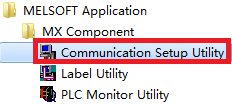
1.運行Communication Setup Utility。
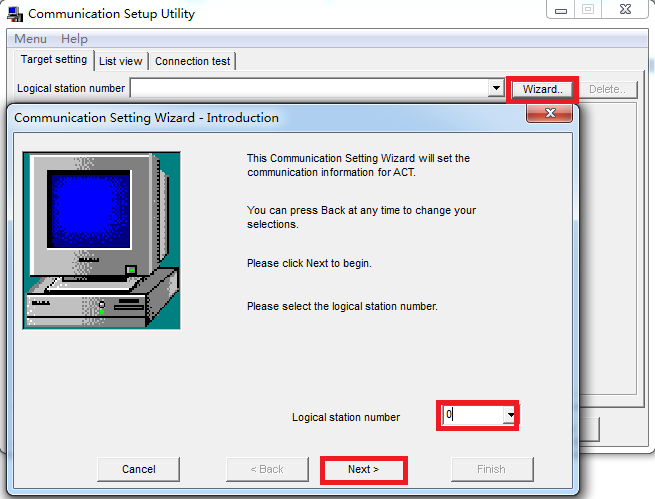
2.點擊“Wizard”����,組態一個連接�,填入“Logical station number”,例如0��,點擊“Next”。
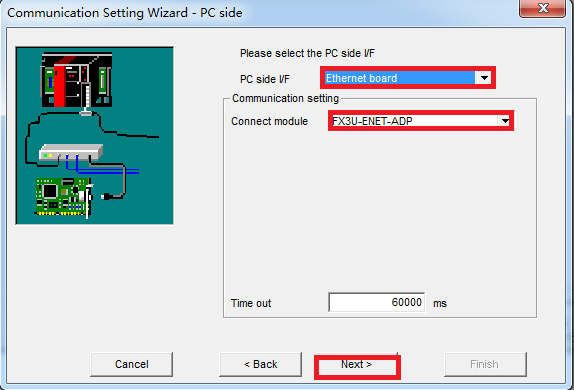
3.“PC side I/F”處選擇“Ethernet board”,“Connect module”處選擇“FX3U-ENET-ADP”���,點擊“Next”。
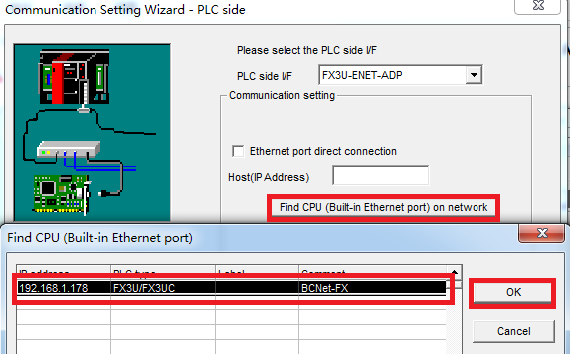
4.點擊“Find CPU (Built-in Ethernet port) on network”,查找到網絡中的BCNet-FX�����,選中它����,點擊“OK”。
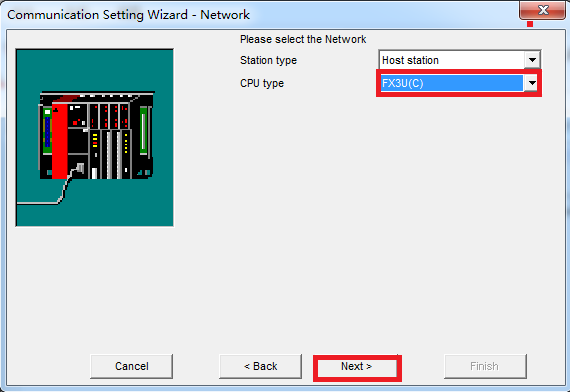
5.“CPU type”選擇“FX3U(C)”��,點擊“Next”����,直至完成。
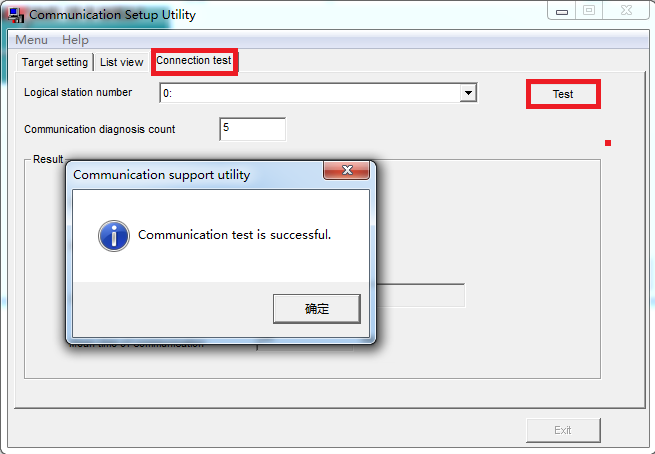
6.選擇“Connection test”�����,點擊“Test”����,進行通訊測試,顯示“Communication test is successful”表明已連接成功。